Web Design
OBS Studio - Modern UI Recreation
OBS Studio Modern UI Recreation Same power. Same workflow. Cleaner, faster, more intuitive experience fully prototyped and interaction-ready.
Year :
2025
Industry :
Tech
Client :
OBS
Project Duration :
3 weeks
Fresh & Clean Look
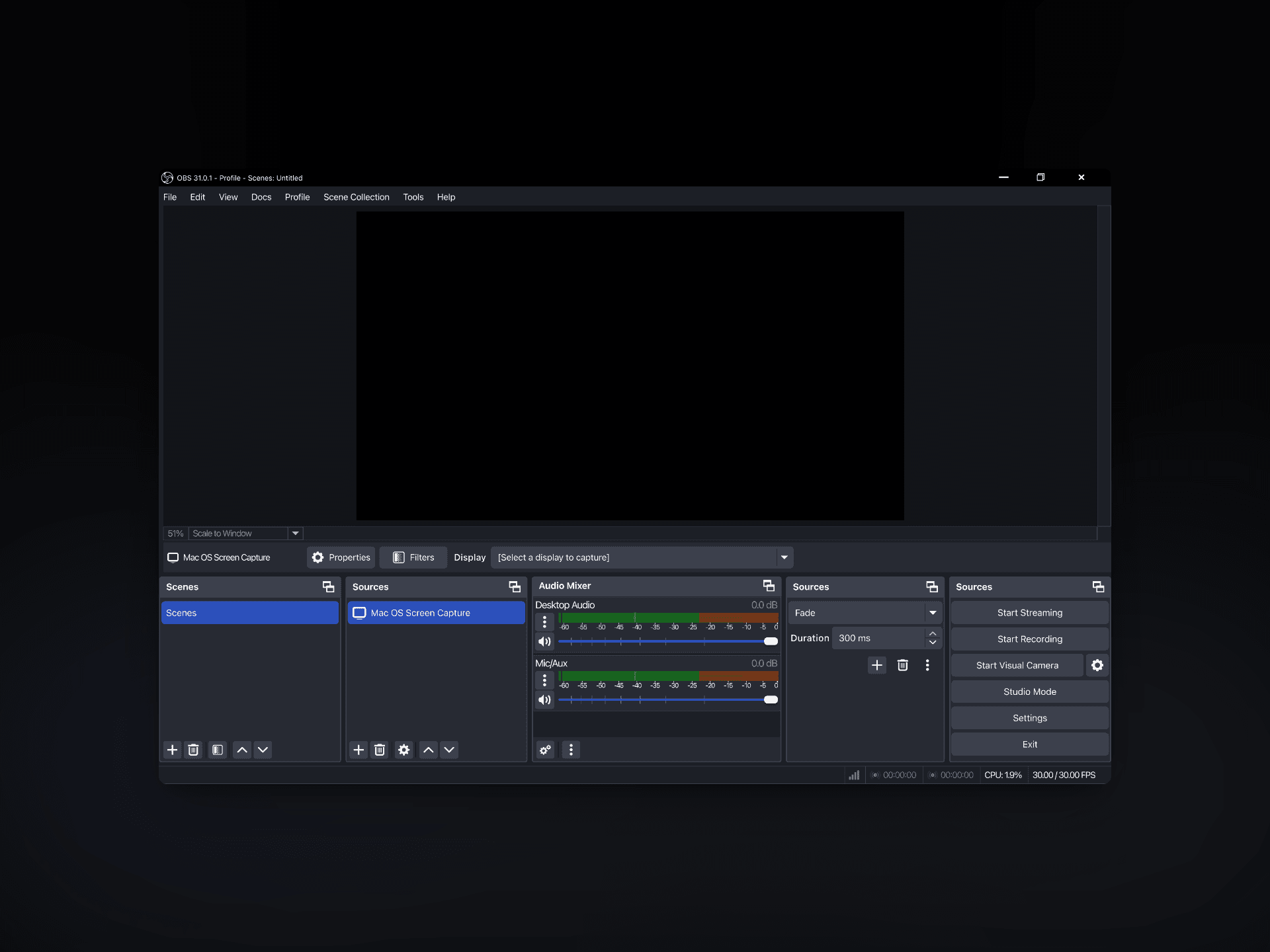
I redesigned the interface to feel more modern, clean, and easy to look at. The goal was to remove clutter and make everything feel organized, so creators can find what they need faster without confusion.
What changed:
• Clearer buttons and icons
• Cleaner layout
• Better spacing and readability
• A more modern visual style
Solution :
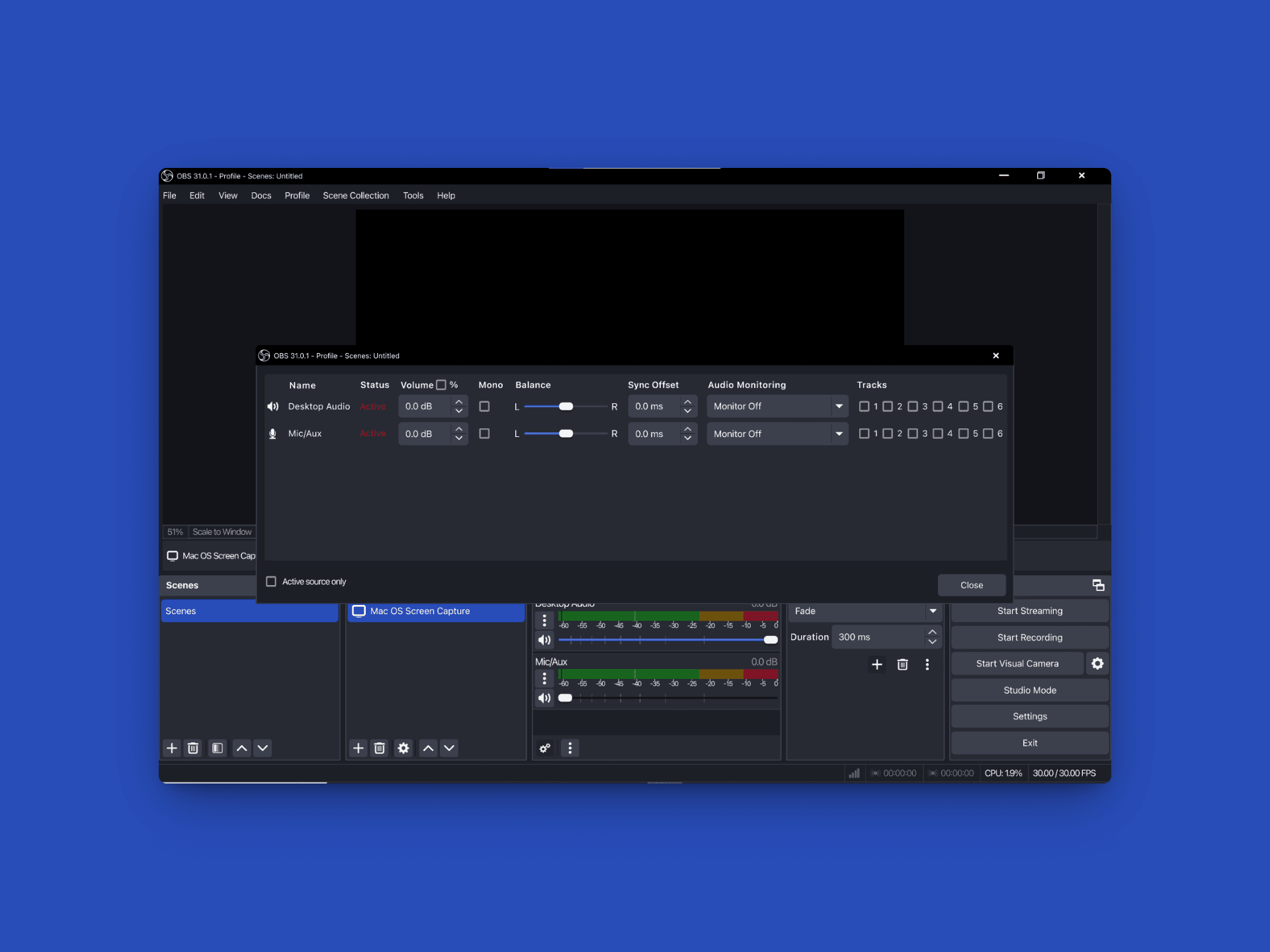
Instead of just designing screens, I recreated how the app actually behaves — buttons, menus, moving items, and transitions. Everything was built to feel real so you can experience how OBS should work, not just see pictures.
What this means:
• Buttons and panels behave like real software
• You can move things around smoothly
• Actions look natural and not stiff
• Feels like a real upgraded OBS, not a mockup
Easier to Use (Without Changing What People Know)
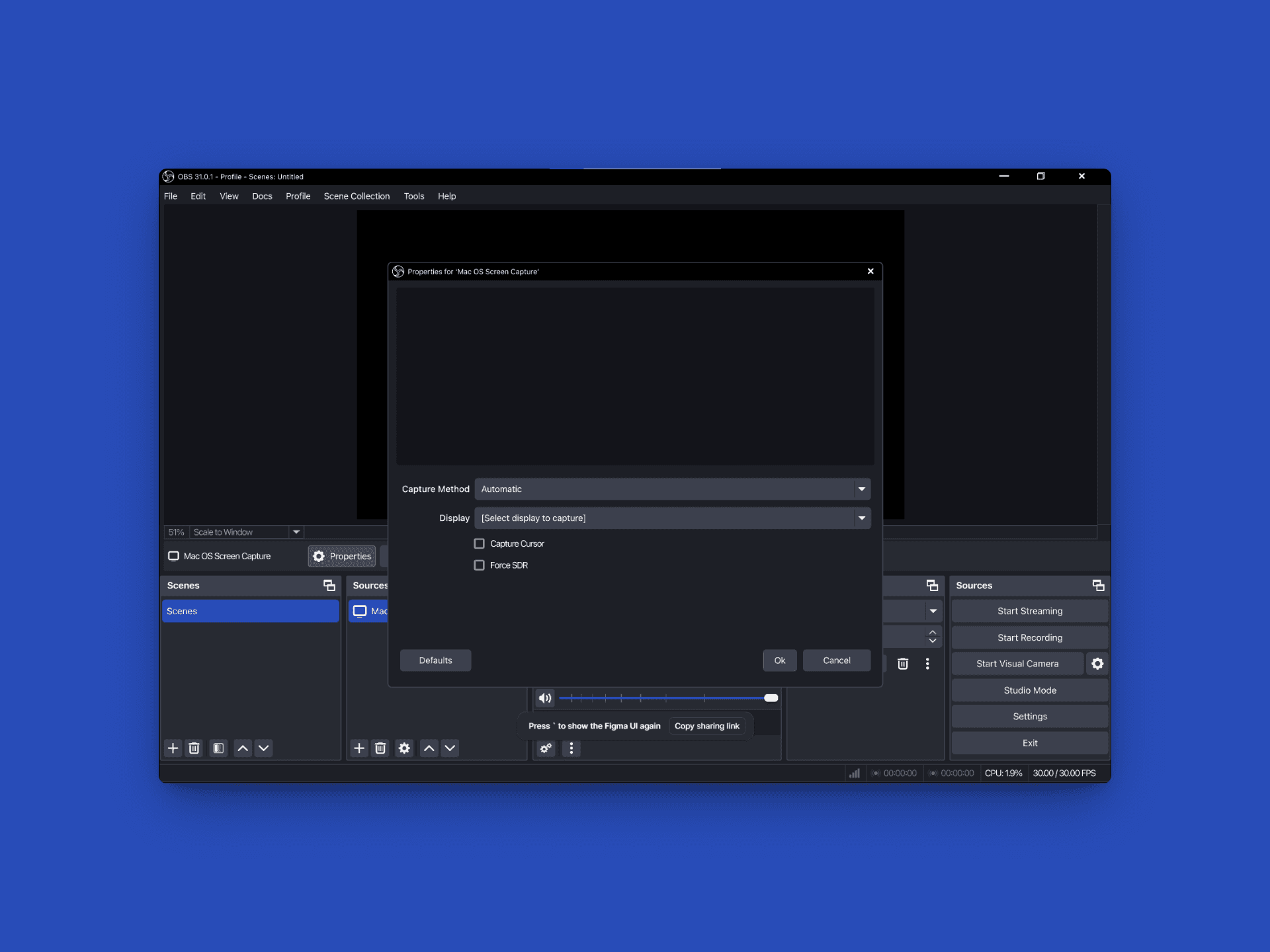
OBS is powerful, but it can feel complicated. My redesign keeps the same structure experienced users know but makes it easier for everyone to understand and navigate.
Improvements include:
• More logical placement of tools
• Easier to follow workflow
• Faster access to important controls
• Familiar, just clearer and simpler
Friendly For Everyone
Whether you're a beginner or a professional streamer, the new design helps you work faster and with less stress. Text is clearer, buttons are easier to see, and the interface guides you naturally.
Benefits:
• New users understand the app faster
• Professionals work with less friction
• Better text size and contrast
• Clear focus for important actions (like Start Recording / Streaming)
More Projects

Web Design
OBS Studio - Modern UI Recreation
OBS Studio Modern UI Recreation Same power. Same workflow. Cleaner, faster, more intuitive experience fully prototyped and interaction-ready.
Year :
2025
Industry :
Tech
Client :
OBS
Project Duration :
3 weeks
Fresh & Clean Look
I redesigned the interface to feel more modern, clean, and easy to look at. The goal was to remove clutter and make everything feel organized, so creators can find what they need faster without confusion.
What changed:
• Clearer buttons and icons
• Cleaner layout
• Better spacing and readability
• A more modern visual style
Solution :
Instead of just designing screens, I recreated how the app actually behaves — buttons, menus, moving items, and transitions. Everything was built to feel real so you can experience how OBS should work, not just see pictures.
What this means:
• Buttons and panels behave like real software
• You can move things around smoothly
• Actions look natural and not stiff
• Feels like a real upgraded OBS, not a mockup
Easier to Use (Without Changing What People Know)
OBS is powerful, but it can feel complicated. My redesign keeps the same structure experienced users know but makes it easier for everyone to understand and navigate.
Improvements include:
• More logical placement of tools
• Easier to follow workflow
• Faster access to important controls
• Familiar, just clearer and simpler
Friendly For Everyone
Whether you're a beginner or a professional streamer, the new design helps you work faster and with less stress. Text is clearer, buttons are easier to see, and the interface guides you naturally.
Benefits:
• New users understand the app faster
• Professionals work with less friction
• Better text size and contrast
• Clear focus for important actions (like Start Recording / Streaming)
More Projects
Web Design
OBS Studio - Modern UI Recreation
OBS Studio Modern UI Recreation Same power. Same workflow. Cleaner, faster, more intuitive experience fully prototyped and interaction-ready.
Year :
2025
Industry :
Tech
Client :
OBS
Project Duration :
3 weeks
Fresh & Clean Look
I redesigned the interface to feel more modern, clean, and easy to look at. The goal was to remove clutter and make everything feel organized, so creators can find what they need faster without confusion.
What changed:
• Clearer buttons and icons
• Cleaner layout
• Better spacing and readability
• A more modern visual style
Solution :
Instead of just designing screens, I recreated how the app actually behaves — buttons, menus, moving items, and transitions. Everything was built to feel real so you can experience how OBS should work, not just see pictures.
What this means:
• Buttons and panels behave like real software
• You can move things around smoothly
• Actions look natural and not stiff
• Feels like a real upgraded OBS, not a mockup
Easier to Use (Without Changing What People Know)
OBS is powerful, but it can feel complicated. My redesign keeps the same structure experienced users know but makes it easier for everyone to understand and navigate.
Improvements include:
• More logical placement of tools
• Easier to follow workflow
• Faster access to important controls
• Familiar, just clearer and simpler
Friendly For Everyone
Whether you're a beginner or a professional streamer, the new design helps you work faster and with less stress. Text is clearer, buttons are easier to see, and the interface guides you naturally.
Benefits:
• New users understand the app faster
• Professionals work with less friction
• Better text size and contrast
• Clear focus for important actions (like Start Recording / Streaming)